















Buying guide / Automotive diagnostics
The Autel MaxiScope MP608 is a four-channel automotive oscilloscope for technicians who need to see how an electrical signal changes over time. Used with a Windows PC or a compatible Autel tablet, it adds waveform analysis to a diagnostic workflow.
This MP608 review explains the published features, practical benefits, and buying considerations.
MP608 review: the quick verdict
A useful fit for electrical diagnosis beyond fault codes. Four inputs, guided tests, and waveform tools make the MP608 worth considering when your work involves comparing signals or investigating intermittent faults. Its value depends on your host device, probe selection, and ability to interpret the capture.
For the current offer and purchasing options, see the Autel MaxiScope MP608 oscilloscope.
What does the MP608 add to a scan tool?
A scan tool helps you identify reported faults and inspect data supplied by control modules. An oscilloscope lets you examine a signal at the measurement point. Those are complementary views of the same problem.
For example, a sensor-related code gives you a direction to investigate. A waveform can help you ask more specific questions: Is the signal switching? Is its shape repeatable? Does it drop out when the symptom appears? A capture supports diagnosis, but does not identify a failed component by itself.
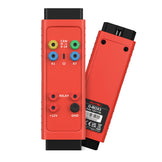
The MP608 is a separate scope module. It does not turn every scanner into an oscilloscope simply by installing an app, and it does not replace the scanner's diagnostic functions.
Features that matter in everyday diagnosis
Four channels: compare events in the same capture
Multiple traces help you look at relationships, rather than interpreting one signal in isolation. A technician investigating a timing-related symptom might compare relevant signals captured under the same conditions. The useful question is not just whether each trace exists, but whether their relationship makes sense for that vehicle.
12-bit resolution: more detail in the vertical scale
Vertical resolution describes how finely an instrument represents amplitude. More available levels can help distinguish small changes when the measurement range is chosen appropriately. Resolution and accuracy are different: the advertised ±1% accuracy does not mean every real-world reading will be unaffected by probes, grounding, noise, or setup.
Guided tests: a clearer starting point
Autel describes a built-in automotive test library with connection guidance and reference waveforms. This can make the initial setup easier to understand. Treat reference traces as learning aids: engine conditions, circuit design, and the exact test point still matter.
Triggers, math channels, and bus decoding
Advanced trigger actions are intended to help capture intermittent events. Custom math channels support calculations using captured signals. Published decoding support includes CAN, CAN FD, LIN, FlexRay, UART, and I²C.
These features address different questions. A trigger determines which event to capture; a calculation helps compare or transform signals; a decoder interprets communication data. Decoded messages do not replace inspection of the underlying electrical waveform.
MP608 specifications at a glance
| Specification | Published value |
|---|---|
| Analog inputs | 4 channels |
| Bandwidth | 20 MHz |
| Vertical resolution | 12 bits |
| Measurement accuracy | ±1% |
| Sample rate, quick-guide summary | 80 MS/s single channel; 20 MS/s combined channel |
| Host connection | USB |
Compatibility: check the exact device before buying
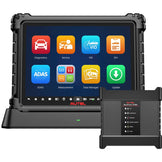
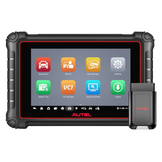
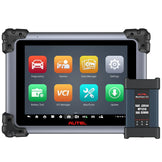
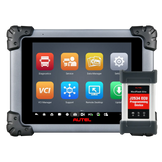
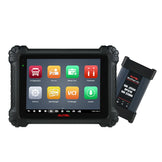
Autel's product information lists Windows PC support and selected tablets, including the MaxiSys MS909S2/ MS909/ MS909EV/ MS909CV/ MS906 MAX/ MS908S Pro II/ MS906 Pro/ MS906 Pro-TS, MaxiIM IM608S II/ IM608 Pro II.
What is included, and what might you need separately?
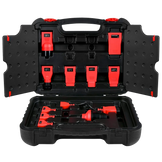
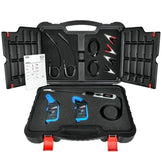
The advertised kit includes test leads, probes, an ignition pickup, attenuators, a carrying case, and accessories. The store listing also identifies back-pinning probes and clips. Check the package supplied with your order rather than assuming every accessory shown in a manual is included.
Choose accessories around the tests you actually perform. Current measurement, ignition work, and other specialist applications can require different probes. Confirm suitability and inclusion before budgeting for the complete setup.
Who should consider the MP608?
- Repair technicians expanding electrical testing: a logical addition when scan results leave unanswered signal questions.
- Workshops with a supported host device: a way to add scope capability to an existing workstation or compatible tablet.
- Technicians willing to build waveform skills: guided content helps, but interpretation remains part of the job.
If your work mainly involves reading codes and performing routine service functions, first consider whether waveform testing will solve a recurring need. Also account for training time and any extra probes, rather than comparing the module price alone.
Common questions before buying
Is this a standalone oscilloscope with a screen?
The MP608 uses a supported computer or tablet to display and operate its waveform software. Include the host device in your purchase planning.
Will it automatically diagnose every electrical fault?
No. A reliable diagnosis combines an appropriate test, correct connections, operating conditions, and interpretation. A convincing-looking waveform can still be misleading if it was captured at the wrong point.
Is it worth buying?
It is worth considering when you regularly need signal evidence beyond codes and live data. Before deciding, confirm compatibility, list your first few intended tests, and check which accessories those tests require.
Build the right MP608 setup
Check the current listing and confirm your host device and accessory needs before ordering.
View MP608 product details