














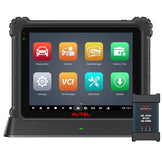


How to Use Autel AT100 with KM100 for Effortless Car Key Cloning
Whether you’re a professional locksmith, independent auto repair shop, or a vehicle owner dealing with a lost, damaged, or faulty car key, the demand for reliable, cost-effective key cloning solutions has never been higher. Modern vehicles rely on encrypted transponder chips and smart key systems to prevent theft, meaning traditional mechanical key cutting is no longer sufficient to restore full vehicle functionality. To service these late-model cars, you need specialized, OEM-certified tools—and the Autel AT100 universal transponder chip paired with the KM100 key programmer offers the perfect, user-friendly solution for all your key cloning needs.
Ⅰ. What Is the Autel AT100?

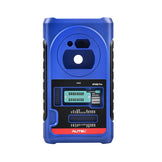
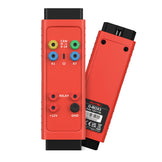
Launched by Autel in 2025, the AT100 is an advanced, programmable universal transponder super chip, designed to replace or clone a wide range of original car key transponder chips for modern vehicles. It’s a compact yet critical component that works seamlessly with Autel’s full line of key programming tools to restore vehicle start functionality, whether your original key chip is damaged, missing from a new key shell, or you need to create a spare key for a vehicle.
The AT100 supports cloning for over 15 of the most common IMMO protocols used by global automakers, including ID11, ID12, ID13, ID46, ID47, ID48, ID49, ID4A, ID4C, ID4D, ID5C, ID64, ID8A, ID8C, and Volkswagen MQB chips. While some high-security vehicle IMMO systems may require additional accessories like the Autel XP400 Pro for full access, the AT100 is the industry-leading choice for everyday key programming and cloning tasks for the vast majority of passenger vehicles on the road today.
Ⅱ. Why Pair the AT100 with the Autel KM100 Key Programmer?

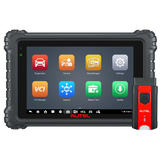
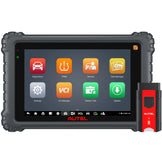
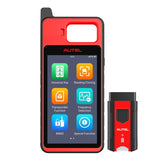
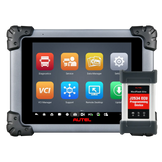
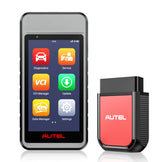
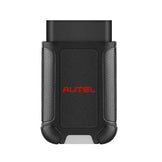
The Autel KM100 is a compact, professional-grade key programming tool that serves as the ideal companion to the AT100 transponder chip. Built for both entry-level technicians and experienced locksmiths, the KM100 delivers OEM-level key programming functionality in an intuitive, portable package, with wireless Bluetooth connectivity via the MaxiVCI V200 for seamless connection to your vehicle’s OBD II port.
With the 2025 KeytoolDiag V2.30 software update, the KM100 now includes dedicated, native support for AT100 super transponder generation, with a custom menu for over 500 vehicle models. This update also expanded cloning support for popular transponder types, ensuring full compatibility with the AT100’s supported chip list. Unlike more complex, high-end programming tools, the KM100’s step-by-step on-screen prompts guide users through every part of the cloning process, eliminating guesswork and reducing the risk of errors.
When paired together, the AT100 and KM100 create a complete, affordable key cloning workflow that handles everything from reading original key data to writing the cloned information to a new AT100 chip—all without needing to send keys to a dealer or pay expensive locksmith fees.
Ⅲ. Step-by-Step Guide: Cloning a Car Key with AT100 + KM100
Below is the full, official workflow for cloning a vehicle key using the Autel AT100 chip with the KM100 programmer. The process is designed to be straightforward, with no advanced technical experience required for most common vehicle models:
-
Step 1: Connect the KM100 to Your Vehicle
Plug the Autel MaxiVCI V200 into your vehicle’s OBD II port (typically located under the dashboard on the driver’s side). Power on your KM100 programmer, and pair it with the MaxiVCI V200 via Bluetooth to establish a secure, stable connection between the tool and your vehicle’s on-board systems.
-
Step 2: Access the Reading/Cloning Menu & Read the Original Key
From the KM100’s main interface, navigate to and select the Reading/Cloning menu. Place your original, working vehicle key into the KM100’s transponder sensing area. The tool will automatically read the key’s transponder data, confirm if the key can be cloned, and verify if the AT100 chip is compatible with the original key’s transponder type.
-
Step 3: Clone the Original Key Data to the AT100 Chip
Click the Clone button below the key read results, and select the appropriate password calculation option for your key type (such as “46 Password Calculation” for compatible models). Follow the on-screen prompts: insert the original key into the vehicle’s ignition, turn it on, and hold the KM100’s signal receiver close to the ignition coil to complete the password calculation process.
Once the password is successfully retrieved, place the original key back into the KM100’s sensing area to read the full transponder information. Remove the original key, insert your new Autel AT100 chip into the KM100’s transponder slot, click Next, and wait for the tool to complete the cloning and writing process.
-
Step 4: Verify the Cloned AT100 Chip & Install It
After the cloning process is finished, the KM100 will display a completion message. Double-check the cloned AT100 chip to confirm all transponder data matches the original key. Insert the programmed AT100 chip into your new key shell, then test the key in the vehicle to confirm it starts the engine and operates all vehicle functions normally.
Ⅳ. Video Tutorial: Full AT100 & KM100 Key Cloning Walkthrough
Watch the full step-by-step video guide below to see the AT100 and KM100 key cloning process in action:
Ⅴ. Ready to Upgrade Your Key Programming Workflow?
The Autel AT100 and KM100 combination delivers unmatched reliability, affordability, and ease of use for anyone looking to handle car key cloning in-house. Whether you’re a professional locksmith looking to expand your service capabilities, a repair shop adding key programming to your offerings, or a vehicle owner wanting to create spare keys without dealer markup, these tools are designed to get the job done quickly and correctly the first time.