
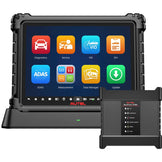
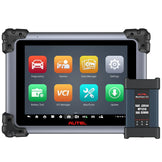
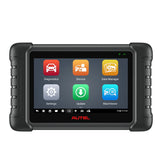
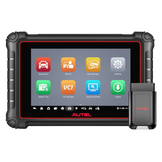
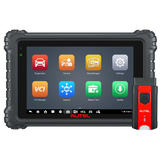


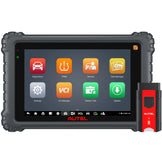



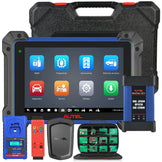

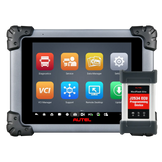



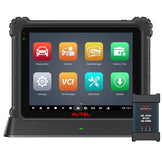


Autel’s Topology feature has revolutionized how automotive technicians diagnose vehicle electrical system faults, turning complex ECU network data into intuitive visual maps. As Autel upgrades this core functionality from Topology 2.0 to 3.0, the gap in diagnostic efficiency and precision has grown significantly. This guide breaks down what Topology is, compares the two versions side-by-side, and lists which Autel scanners support each iteration—helping you choose the right tool for your workshop’s needs.
1. What Is Autel Topology?
Autel Topology is a flagship diagnostic feature that generates a visualized map of a vehicle’s electronic control unit (ECU) network. It clearly displays the connection relationships between all ECUs (e.g., engine, ABS, BCM, TPMS) across different communication buses (CAN, LIN, Ethernet, DoIP, etc.). Color-coded indicators (green for normal, red for fault, gray for no response) instantly highlight problematic modules, eliminating the "blind scanning" of traditional diagnostics. This feature is critical for troubleshooting multi-system electrical faults, bus communication issues, and unresponsive ECUs—saving technicians hours of manual testing and guesswork.
2. Topology 2.0 vs. Topology 3.0: Core Differences
While both versions deliver ECU network visualization, Topology 3.0 introduces game-changing interactive features that create a closed-loop diagnostic workflow, from identifying faults to verifying physical locations and communication quality. Below is a detailed comparison, paired with visual examples of each version:
| Comparison Dimension | Topology 2.0 | Topology 3.0 |
|---|---|---|
| Core Interaction Logic | Single topology view; no cross-module linkage with physical vehicle data | Split-screen linkage: topology map syncs with vehicle physical location graphics in real time |
| Fault Location Assistance | Only color-codes ECU status; manual lookup required for module installation positions | One-click display of Location Graphics for fault ECUs (precise physical position labeling) |
| ECU Communication Testing | No built-in Ping ECU function; requires exiting Topology for separate testing | Integrated Ping ECU button to test communication quality (RTT/latency) directly in the Topology interface |
| Interface Layout & Focus | Left-side global function menu; Topology as a secondary tab with longer operation paths | Topology as the core display; right panel dedicated to fault module details (DTCs/Location/Ping) for focused diagnostics |
| Real-Time Data Integration | Basic topology and bus legend only; no integrated vehicle data | Top bar integrates VCM voltage, VIN, and vehicle info; no need to switch interfaces for critical data |
Topology 2.0 Interface Example

Topology 3.0 Interface Example

3. Autel Scanners: Topology 2.0 vs. Topology 3.0 Compatibility
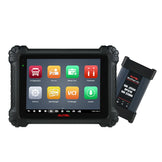
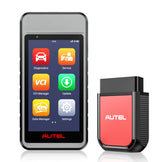
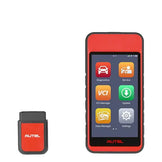
Autel’s Topology 3.0 is exclusive to its latest 2026 flagship scanner models, while Topology 2.0 is available on premium 2024–2025 models. Below is a complete list of compatible scanners, with direct links to product pages:
| Scanners with Topology 2.0 | Scanners with Topology 3.0 |
|---|---|
| Autel MaxiSYS Ultra Buy | Autel MaxiSYS MS919 S2 Buy |
| Autel MaxiSYS Ultra EV Buy | Autel MaxiSYS MS909 S2 Buy |
| Autel MaxiSYS MS919 Buy | Autel MaxiSYS Ultra S2 Buy |
| Autel MaxiCOM Ultra Lite S Buy | Autel MaxiSYS Ultra S2 EV Buy |
| Autel MaxiSYS MS909 Buy | |
| Autel MaxiSYS MS909 CV Buy | |
| Autel MaxiSYS MS909 EV Buy |
Still Unsure Which Scanner Is Right for You? Want Exclusive Discounts?
Every workshop has unique diagnostic needs—whether you service high-volume luxury vehicles, electric vehicles, or general passenger cars. If you’re stuck choosing between Topology 2.0 and 3.0 scanners, or if you’re looking for exclusive pricing, send your vehicle VIN and specific diagnostic requirements to sales@auteldealer.com. Our Autel product experts will analyze your needs and recommend the perfect scanner for your business—no guesswork, no wasted investment.